Showing posts with label Software. Show all posts

Tool Convert PDF with secure protected password

Tool Convert PDF with secure protected password

Tool Convert PDF with secure protected password v3.1, adalah software yang sangat handal dan ampuh digunakan untuk mengkonvert file pdf yang di protect. PDF yang SECURE biasanya bertuliskan SECURE di title pdf yang dibuka seperti gambar berikut.
Tool Convert PDF with secure protected password

Untuk File PDF yang memiliki keamanan seperti itu, maka tool-tool converter yang ada dipasaran _maksudnya di internet_ tidak akan mampu untuk mengkonvert file ini, dan akan mengeluarkan pesan ERROR. File-file PDF yang secure seperti ini pastinya adalah dokumen dokumen penting yang tidak disebarkan dan bersifat memiliki hak cipta. Saya sendiri juga sempat kewalahan dalam mengkonvert file PDF yang SECURE sebelumnya, hingga saya menemukan Tool Convert PDF with secure protected password ini. 
 Oke sekian dulu pengantar dari software ini, dan bagi anda yang sedang mengerjakan tugas dan mengambil referensi dari file pdf orang lain yang telah mendapat pengakuan _HAK CIPTA_ maka gunakan lah Tool Convert PDF with secure protected password ini dengan bijaksana.

Untuk Softwarenya dapat di download di link bawah ini.


password: alexringo


Win8 task manager for Win7

We know that there are many of you who have no desire to upgrade to Windows 8 from Windows 7. We also know that if you use Windows 7 you are likely drooling over the Windows 8 task manager, as it is light-years ahead of what Windows 7 currently offers.
If you want to get a flavor of that task manager in Windows 7, hit the source link below as Neowin forum member Hanrui has posted download links to the task manager that he is currently creating for Windows 7. We should note that the application is not fully stable yet, so you may encounter a few issues when using the program.

Win8 task manager for Win7

The good news here is that this task manager does not replace the existing task manager in Windows 7, so you can install the application without fear of nuking your current task manager. 
The name of the file is DBCTaskman and if that name sounds familiar, it's because this is the same person who created the DBCShell.exe with Vista like clock for XP many years ago.

Firefox 21 released

Firefox 21 is now available to download, one day ahead of its official launch, with the versions for Windows, Mac and Linux available on Mozilla's FTP server. Firefox 21 for Android hasn't been pushed to Google Play just yet, but come the official launch date (tomorrow) it should also be available alongside its desktop companions.

Firefox 21 released

While Mozilla has yet to announce the official changelog for Firefox 21, as TNW points out, the beta release notes give some insight into what to expect. For the desktop version, Mozilla have implemented three-state Do Not Track (adding in a third option for "user says track"), added a suggestion system for improving app startup time, and implemented the Firefox Health Report. For Android we should be seeing an updated UI based on the 'Holo' design, the ability to save media files, plus numerous bug fixes and enhancements.


BBC iPlayer for windows phone released

Watch and listen to BBC TV and radio programmes from the last 7 days on BBC iPlayer.

BBC iPlayer for windows phone released

Features include:
- On demand content over Wi-Fi and 3G.
- Add shows to your favourites so new episodes are quick to find for you to enjoy later. 
- Ability to listen to BBC Radio in the background.                  
- Browse programmes by category, schedule, featured and most popular.


Start Menu Reviver brings a free touch Start Menu for Win8

It's more intuitive, more functional and more customizable than any other product on the market. Start Menu Reviver is the ONLY solution that is truly touchscreen-friendly and ABSOLUTELY FREE.

Start Menu Reviver brings a free touch Start Menu for Win8

Revive your Start Menu
Don't just replace your Start Menu – revive it. Start Menu Reviver is designed for you, whether you just want a Start Menu back in Windows 8, or want to have more control in Windows 7.
Start Menu Reviver is the only choice that brings back the familiarity you're accustomed to and embraces the enhancements in the future of Windows.
Truly Touchscreen-Friendly
The unique tile structure in Start Menu Reviver means that it is the only Start Menu that is truly touch-friendly.
Of course you can still use your mouse and keyboard, but with Start Menu Reviver you can also easily add, remove, move and edit at the touch of a finger.
Start Your Way
Start Menu Reviver accommodates up to 32 tiles so you can customize it for a truly personal experience. Choose which applications, documents, folders and more you want to launch directly from your Start Menu.
You can also change the tile images using our ever-growing library of icons, or create your very own.
Manage Desktop and Modern Applications
Launch both traditional desktop programs and new Windows 8 modern applications directly from the the Start Menu. No other product allows you to do this.
SO MANY MORE USEFUL FEATURES
Powerful Search
The search box in Start Menu Reviver is a one stop shop for finding anything on your computer. It will help you find applications, computer settings and documents in a matter of seconds.
Access the Start Screen
If you still want to access the Windows 8 Start screen, you can see it and access it directly in Start Menu Reviver. You can even see how it looked the last time you were there.
Make a website Tile
Start Menu Reviver doesn't just let you add desktop and modern applications as tiles, you can also make tiles to quickly access your favorite websites and even your favorite documents.
Choose your Start Button
You can easily customize the default Start Button. Start Menu Reviver has many different Start buttons to choose from.


Free Adobe Photoshop Express app for win8 released

Photo magic at your fingertips.
On-the-go photo editing was never so fun, fast, and cool. Touch your way to better-looking pictures with automatic fixes and filters. Get your pictures to pop! And after sharing, you’ll be the talk of your friends.

Free Adobe Photoshop Express app for win8 released

Features
Basics: Crop, straighten, rotate, and flip your photos. Remove red eye.
Auto-Fix: One-touch adjustment for brightness, exposure and shadows.
Color: Slider controls for exposure, contrast, clarity, vibrance and more.
One-touch filters: Choose from more than 15 eye-catching effects!
Upload your photos to Adobe Revel to sync them across your devices.
Get creative by adding the Looks Pack* and Noise Reduction Pack*
*available as in-app purchases. The Adobe Looks Pack gives your photos fun, fresh looks with even more one-touch filters.
The Adobe Noise Reduction Pack minimizes unwanted grain and speckling in your photos.


CBX Shell-Preview File in Rar or Zip

Thumbnail preview for ZIP and RAR image archives.

CBX Shell-Preview File in Rar or Zip
Software ini adalah aplikasi yang berfungsi untuk melihat atau preview file yang ada didalam rar atau zip tanpa harus mengekstrack nya terlebih dahulu.

Support:
Windows 2000 / XP / Vista / 7 (32 / 64-bit)
Windows 2000 requires Internet Explorer 6 or later


Microsoft Store for Windows Phone is released

The Microsoft Store app is the best way to see what's going on at your local Microsoft Store. You can easily schedule an appointment to see a specialist for the Answer Desk and Personal Training. If you want to attend an event at your local store, use the app to view a schedule of what's happening there over the next few weeks.

Microsoft Store for Windows Phone is released

You can now use the app to shop online for products available through the Microsoft Store. Whether it's a new Surface, copy of Windows 8 or the latest Xbox game, you can purchase through the app and have your order shipped directly to your home.
Features:
• Find your nearest Microsoft Store
• See store details including map and directions
• Schedule an Answer Desk, Personal Training or Personal Shopping appointment
• View events happening at a particular store
• See latest Microsoft Store news from Facebook, Twitter and the Microsoft Blog


ObjectDock 2.1 is available

The most popular animated dock for Windows.
ObjectDock is an animated dock for Windows that enables you to quickly access and launch your favorite applications, files and shortcuts. ObjectDock can also automatically hide itself when not in use and will reappear when you move your mouse to its position. Apply effects, customize the color, size and position, plus more with ObjectDock!
ObjectDock 2.1 is available

Access your shortcuts and applications from an animated dock
Add as many docks as you wish
Drag and drop application launching
Robust dock customization options
Windows 8/7 Support


Itsdagram free for windows phone released

All the features of Itsdagram, except Free(with ads)
The only fully featured Instagram client on the market.  Register, upload, comment, like, follow, find your facebook friends;  All from Itsdagram!
What would an Instagram app be without filters!?  Itsdagram filters can be updated daily without the need to update the app.  You will never know when you've got a brand new filter waiting for you!
Itsdagram free for windows phone released

Double tap to like
Tap and hold to swap between Timeline view and Grid view.
See photos you've liked and have been tagged in on your profile page.
Change your profile picture and password there too!
Pin your favorite hashtags and users to your homescreen to keep track of them.


Google Chrome 27 Stable has been released

Google Chrome 27 has been released for Windows, Mac and Linux, and now it downloads and display pages 5% faster thanks to changes in Chrome’s resource scheduler. Previously, the browser used to download a vast number of images in parallel. Now it focuses on visible images, and limits parallel downloads to a maximum of 10, so the details you need should be displayed noticeably faster.

Google Chrome 27 Stable has been released

Google Chrome v 27 adalah browser yang terbilang cepat dan handal dalam urusan browsing di internet, google chrome v 27 stable ini juga sangat mudah penggunaan dan pengintegrasian dengan google sangat mudah, tentu saja itu dikarenakan Chrome internet browser ini adalah besutan dari mesin pencari raksasa google.


IDM 6.15 Build 11 Full Keygen | Crack

weshare

IDM 6.15 Build 11 Full Keygen | Crack. Software yang mungkin sudah sangat sering anda dengar, ya software ini memang terkenal sebagai aplikasi komputer yang handal dalam hal mengelola file-file yang kita download. Software ini juga bisa memaksimalkan kecepatan download kita, tentunya software ini sangat bermanfaat bagi anda yang suka mendownload berbagai macam file.

Fitur baru dari IDM 6.15 Build 11 Full Keygen | Crack
-Added a workaround for youtube changes (Perbaikan dalam perubahan sistem di Youtube)
-Added the feature to stop and save live stream broadcasts (Menyimpan vidoe streaming langsung)
-Fixed bugs (memperbaiki bug)


Bagi yang ingin menggunakannya langsung saja didownload, dan untuk cara penginstalannya cukup mudah. tinggal klik file installer nya dan jalankan patchnya.


ANDROID X-86 REVIEW and DOWNLOAD

D-LINUX

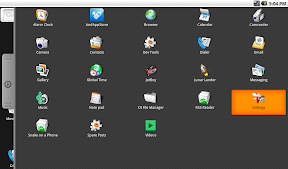
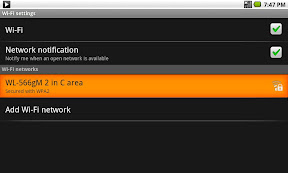
Android X-86 with Review and Download. Operating System Android-x86 ini adalah OS hasil pengembangan dari android yang ada di smartphone. tampilannya juga sama, namanya aja udah sama trus bedanya dimana? bedanya kita menjalankan OS android ini di PC atau Laptop, bukan di SmartPhone. Android-x86 ini memang sangat cocok bagi anda yang ingin mencoba terlebih dahulu gimana sih android itu? sebelum membeli smartphone dengan harga yang relatif tinggi. Bukan hanya itu, dengan Android x-86 ini kita bisa memodifikasi atau mencoba aplikasi buatan kita. Semacam OS percobaan lah kira-kira.

Android-x86 ini juga memiliki aplikasi google-Play, emang kenapa? yang berarti anda bisa mendownload ribuan aplikasi android yang ada di sana. wow kereenn.. ya begitulah, tetapi meskipun demikian, OS ini masih memiliki banyak kelemahan dan bisa dikatakan sebagai "bug". karena terkadang OS ini sering tidak error ketika kita mengutak-atik setingannya. tapi tenang saja bro, Para developer OS ini selalu mengupdate patch untuk menambal kayak tukang tambal ban aja bug yang ada di OS ini.

Kasih Screen Shoot Dong..
ini dia screen shoot dari OS Android-x86 PC

                                                         ScreenShoot!
D-Linux

D-Linux

D-Linux

D-Linux

D-Linux

D-Linux

D-Linux


Bagi kamu yang ingin mengetahui lebih jauh lagi langsung saja kunjungi websitenya di http://android-x86.org

dan Bagi kamu yang ingin langsung mencobanya, silahkan download disini.


BackTrack 5 R3 Review and Download

D-Linux

Backtrack 5 Revolution 3 with Review and Download. Backtrack 5 R3 adalah distro linux yang merupakan pengembangan dari distri linux Ubuntu. kok bisa? ya bisalah, XD saya mengetahuinya setelah menginstal backtrack 5R3 ini dilaptop saya. dan ketika booting ada tulisan ubuntu 1x.xx, maksud x adalah versi ke sekian. dan juga setelah di install kemudian restart, maka yang terdaftar di grub adalah ubuntu 1x.xx . bukan hanya itu, setelah masuk ke desktop dan membuka system-setting-about-->maka ada tertulis ubuntu 1x.xx .
saya rasa cukup dulu untuk membongkar asal-usul backtrack ini, langsung ke inti distro Backtrack 5 R3 ini.

Backtrack 5 R3 ini adalah distro linux yang termasuk kedalam kategori underground. maksudnya? karena pada backtrack ini di lengkapi dengan puluhan tools yang pada umumnya untuk eksploitasi, hacking, sniffing,dll. tapi ada juga tool buat audit, maintenance, sevice, dll. jadi menurut saya, backtrack ini cocok bagi anda yang suka dengan dunia Underground, tapi cocok juga bagi anda sebagai webmaster. karena backtrack ini bisa digunakan untuk meng audit website anda terhadap kelemahan-kelemahan yang ada pada website anda.

keren.....,boleh liat Screen Shoot nya?
tentu saja, berikut saya berikan tampilan beserta fitur-fiturnya.

                                                     ScreenShoot!
D-Linux

D-Linux

D-Linux

D-Linux


                                                        Fitur-fitur!
Identify Live Hosts -dnmap – Distributed NMap -address6 (The Second “Alive6″ entry) – IPV6 address conversion Information Gathering Analysis -Jigsaw – Grabs information about company employees -Uberharvest – E-mail harvester -sslcaudit – SSL Cert audit -VoIP honey – VoIP Honeypot -urlcrazy – Detects URL typos used in typo squatting, url hijacking, phishing Web Crawlers -Apache_users – Apache username enumerator -Deblaze – Performs enumeration & interrogation against Flash remote end points Database Analysis -Tnscmd10g – Allows you to inject commands into Oracle -BBQSQL – Blind SQL injection toolkit Bluetooth Analysis -Blueranger – Uses link quality to locate Bluetooth devices Vulnerability Assessment -Lynis – Scans systems & software for security issues -DotDotPwn – Directory Traversal fuzzer Exploitation Tools -Netgear-telnetable – Enables Telnet console on Netgear devices -Termineter – Smart Meter tester -Htexploit – Tool to bypass standard directory protection -Jboss-Autopwn – Deploys JSP shell on target JBoss servers -Websploit – Scans & analyses remote systems for vulnerabilities Wireless Exploitation Tools -Bluepot – Bluetooth honeypot -Spooftooph – Spoofs or clones Bluetooth devices -Smartphone-Pentest-Framework -Fern-Wifi-cracker – Gui for testing Wireless encryption strength -Wi-fihoney – Creates fake APs using all encryption and monitors with -Airodump -Wifite – Automated wireless auditor A Bunch of Password Tools -Creddump -Johnny -Manglefizz -Ophcrack -Phrasendresher -Rainbowcrack -Acccheck -smbexec

gimana keren ga? bagi kamu yang kecantol dengan Backtrack 5 R3 ini, silahkan di Download di sini.
oh ya disini saya share dengan dua tampilan yaitu versi GNOME dan versi KDE. Versi GNOME untuk tampilan simple, dan versi KDE untuk yang lebih User Friendly


Kubuntu 12.10 Review and Download

D-LINUX™
Kubuntu 12.10 Review and Download. Kubuntu 12.10 adalah distro linux hasil pengembangan dari Linux + Ubuntu + Debian + KDE Software + Plasma Desktop. Tujuan dari penggabungan beberapa software ini yaitu membuat Kubuntu menjadi distro linux yang paling nyaman dipakai dan user friendly. User Interface -UI kubuntu memang berbeda dengan distro linux yang lainnya, karena kubuntu ini memiliki design yang mengutamakan User Friendly. Berbeda dengan distro linux lainnya yang memiliki tampilan yang simple dan begitu polos, yang pastinya kita harus berusaha keras untuk mendesign ulang tampilannya. Tapi walaupun kubuntu telah dilengkapi dengan software yang mempercantik tampilannya, kita masih berkesempatan besar dalam mengutak-atik tampilannya.

Fitur-Fiturnya apa aja?
Ada banyak fitur yang diberikan oleh kubuntu 12.10 ini, diantaranya Games, Multimedia, Graphics, Internet, Office.
Itu saja?
tentu saja tidak. Kubuntu 12.10 memiliki KSoftware Center dan Muon Package Manager, disana kamu bisa mengunduh berbagai macam software yang kompitable dengan distro kubuntu ini. kamu juga bisa menambahkan software center sesuai dengan keinginanmu, misalnya Ubuntu software center ,dll.

Tampilin ScreenShootnya dong!
ya, bagi kamu yang ingin memakai kubuntu 12.10 ini. Silahkan lihat Screenshoot nya.

                                                    ScreenShoot!
D-Linux

D-Linux

D-Linux

D-Linux

D-Linux

D-Linux


Gimana, tertarik dengan tampilannya? bagi kamu yang mau mencoba distro Kubuntu 12.10, langsung saja Download disini.


Ubuntu 12.10 with Review | Download

D-Linux

   Ubuntu 12.10 with review dan download. Ubuntu 12.10 di rilis pada tanggal 18 oktober 2012. ubuntu 12.10 adalah distro ubuntu yang bagus dan dengan tampilan yang menarik, ubuntu juga termasuk distro linux yang paling banyak di modifikasi mungkin karena software yang ada dalamnya banyak, dan juga mungkin karena cara menggunakannya lebih mudah dan lebih umum digunakan.

Ubuntu juga memiliki software center, yaitu tempat untuk mendownload berbagai software yang bisa digunakan pada distro yang satu ini. Terdapat beribu software disana, dilengkapi dengan kategori-kategori sehingga memudahkan penggunanya untuk mendownload software sesuai dengan kebutuhannya.

Terus apa yang baru di Ubuntu 12.10 ini?
                                               Apa yang Baru?
Pada Ubuntu 12.10 kini didukung dengan paket kernel Linux 3.5.0-15.23, berdasarkan Linux stabil 3.5.4 rilis kernel upstream, dan GNOME 3.6 desktop environment, yang membawa banyak fitur bagus. " Dengan Ubuntu 12.10, Kubuntu, Edubuntu, Lubuntu, Xubuntu dan Ubuntu Studio juga mencapai status hari ini gambar akan terus memiliki update harian untuk sisa rilis " kata Kate Stewart dalam pengumuman resmi . Selain itu, antarmuka Unity Ubuntu 12.10 terlihat banyak perbaikan bagus dan penambahan selama dua minggu terakhir, di antaranya kita bisa menyebut Unity Shopping Lens, dukungan untuk webapps, dukungan untuk video Amazon pada Video Lens, dukungan pratinjau untuk Gwibber Lens, kemampuan untuk memindahkan semua ikon launcher kecuali untuk Trash and Dash , dan banyak lagi.

setelah membaca apa-apa saja yang baru dari Ubuntu 12.10 ini, sekarang mari kita lihat beberapa screenshoot yang diambil dari desktop Ubuntu 12.10 ini.

                                                    ScreenShoot!
D-Linux

D-Linux

D-Linux

D-Linux


nah sekian dulu beberapa review tentang distro Linux Ubuntu 12.10 ini, bagi anda yang berminat silahkan langsung saja download dari link ini.


XBOX Skin Pack for Windows 7


http://alexringo.blogspot.com

XBOX Skin Pack for Windows 7, adalah skinpack dengan membawakan tema microsoft XBOX di pc anda. tampilannya sederhana tetapi membawa ciri khas elegan, karena di sertai dengan warna hijau muda dengan efek yang membuat tampilannya serasa premium. dan tentunya anda bisa download XBOX Skin Pack for Windows 7 disini gratis pastinya. oh ya jangan lupa centang backup resource sebelum melanjutkan proses instalasi.


http://alexringo.blogspot.com

Note : Skin Packs installer have easy and safe install option , Please unistall old or other version of skin packs before install new version. Before install close all runnig program , after finish restart your system.
Support:
Windows 7 , Windows 7 SP1 – [X86_X64] – [All Language] – [All Version]
For windows 7 starter and home basic first need to patch and Unlock Aero effect from here


Programs & Creadits:

Resource Hacker 3.6 by angus johnson
http://www.askvg.com/tutorial-all-about-resource-hacker-in-a-brief-tutorial/

Moveex 1.0 by Alexander Frink
http://wwwthep.physik.uni-mainz.de/~frink/nt.html

Universal Theme Patcher 1.5.0.22 by deepxw
http://www.deepxw.blogspot.com

Win7BootUpdater v0 Beta 1 by jeff
http://www.coderforlife.com/

RocketDock 1.3.5 by PunkLabs skin by me
http://www.RocketDock.com/

UberIcon 1.0.4 by PunkLabs
http://www.ubericon.com/

Theme By creator
http://creativx.net/forums/members/creator.html
http://creativx.net/forums/windows-7-themes-light-creator/9991-xbox-360-theme-7-a.html

Icons by Voodoo_Freak
http://www.wincustomize.com/explore/iconpackager/1467/

Wallpaper by Pokehkins
http://www.Pokehkins.deviantart.com

cursors by Necro949445
http://www.Necro949445.deviantart.com

startorb by leepat0302
http://www.leepat0302.deviantart.com

boot animation by hivestyler

http://www.hivestyler.deviantart.com

XP Skin Pack for Windows 7


http://alexringo.blogspot.com

XP Skin Pack for windows 7 adalah skinpack dengan membawa tema tampilan windows xp. bagi anda yang kangen dengan tampilan windows xp tetapi tidak ingin menginstal OS XP nya, cukup download dan instal skinpack ini di windows 7 anda. jangan lupa centang backup resource sebelum melanjutkan instalernya ya.


http://alexringo.blogspot.com

Note : Skin Packs installer have easy and safe install option , Please unistall old or other version of skin packs before install new version. Before install close all runnig program , after finish restart your system.
Support:
Windows 7 , Windows 7 SP1 – [X86_X64] – [All Language] – [All Version]
For windows 7 starter and home basic first need to patch and Unlock Aero effect from here


Programs & Creadits:

Resource Hacker 3.6 by angus johnson

http://www.askvg.com/tutorial-all-about-resource-hacker-in-a-brief-tutorial/

Moveex 1.0 by Alexander Frink

http://wwwthep.physik.uni-mainz.de/~frink/nt.html

Universal Theme Patcher 1.5.0.22 by deepxw

http://www.deepxw.blogspot.com

Win7BootUpdater v0 Beta 1 by jeff

http://www.coderforlife.com/

Themes By satukoro refresh by me

http://www.satukoro.deviantart.com/

Login screen by Marrussa refresh by me

http://www.Marrussa.deviantart.com

yys Skin Pack for Windows 7


http://alexringo.blogspot.com

yys Skin Pack for Windows 7, adalah skinpack editan dengan meniru tampilan mac apple. tampilannya terbilang cukup sederhana namun tetap elegan, dengan warna yang dominan abu-abu membuat tampilannya semakin premium saja. bagi anda yang berminat langsung saja di download dan instal di windows 7 anda. tetapi jangan lupa untuk centang backup resource sebelum melanjutkan penginstalan. 


http://alexringo.blogspot.com

Support:
Windows 7 , Windows 7 SP1 – [X86_X64] – [All Language] – [All Version]
For windows 7 starter and home basic first need to patch and Unlock Aero effect from here

Note : Skin Packs installer have easy and safe install option , Please unistall old or other version of skin packs before install new version. Before install close all runnig program , after finish restart your system.


Programs & Creadits:

Resource Hacker 3.6 by angus johnson

http://www.angusj.com/resourcehacker/

Moveex 1.0 by Alexander Frink

http://wwwthep.physik.uni-mainz.de/~frink/nt.html

Universal Theme Patcher 1.5.0.22 by deepxw

http://www.deepxw.blogspot.com

RocketDock 1.3.5 by Punk Labs

http://www.rocketdock.com

standalonestack 2.0 by christian salmon

http://www.chrisnsoft.com

shutoff 1.6 by nookian

http://www.nookian.deviantart.com

DesktopFast 1.0 by vhanla

http://www.Codigobit.info

Finger by Matias Moreno

http://www.matiasmoreno.com.ar/

Xwidget 1.5 & XLaunchPad 1.0.7 by Xwidgetsoft

http://Xwidget.com/

UberIcon 1.0.4 by Punk Labs

http://www.ubericon.com/

Theme by evthan

http://www.evthan.deviantart.com/

KDE Skin Pack for Windows 7


http://alexringo.blogspot.com

KDE Skin Pack for Windows 7, skinpack yang satu ini adalah tampilan lain dari linux yaitu KDE. sebelumnya saya sudah share GNOME Skinpack for Windows 7, bagi anda yang lebih suka dengan tampilan linux versi KDE silahkan langsung di download dan instal pada windows 7 anda. dan jangan lupa untuk centang backup resource sebelum melanjutkan proses penginstalan.


http://alexringo.blogspot.com

Note : Skin Packs installer have easy and safe install option , Please unistall old or other version of skin packs before install new version. Before install close all runnig program , after finish restart your system.
Support:
Windows 7 , Windows 7 SP1 – [X86_X64] – [All Language] – [All Version]
For windows 7 starter and home basic first need to patch and Unlock Aero effect from here


Programs:
Note : Some Program Need to install .Net FrameWork For Runnig

Resource Hacker
http://www.askvg.com/tutorial-all-about-resource-hacker-in-a-brief-tutorial/

Moveex 1.0 by Alexander Frink
http://wwwthep.physik.uni-mainz.de/~frink/nt.html

Universal Theme Patcher 1.5.0.22 by deepxw
http://www.deepxw.blogspot.com

RocketDock 1.3.5 by PunkSoftware
http://www.punksoftware.com/

Yodm3D 1.4 by Christian Salmon
http://www.chsalmon.club.fr

UberIcon 1.0.4 by Punk Labs
http://www.ubericon.com/

Nimi Visuals 2011
http://www.mynimi.net

Gdi++ 8.0
http://drwatson.nobody.jp/gdi++/

Y'z Shadow 2.3 beta3 by M.Yamaguchi

SmartFlip 0.7 by Lup Gratian

Theme By snipes2 Refresh by Me

http://www.snipes2.deviantart.com/